How to Check 8171 BISP Payment Status by CNIC
How to check 8171 BISP payment status by CNIC is an important question for families waiting for financial assistance under the Benazir Income Support Programme (BISP). The government provides an official 8171 web portal and SMS service to help applicants check their eligibility and payment-related information. Beneficiaries can use their 13-digit CNIC number to find out whether their household is eligible or whether further verification is required. In this guide, you will learn how to check your status online, use the SMS service, and resolve common payment problems.
Quick Information Table
| Information | Details |
|---|---|
| Program Name | Benazir Income Support Programme |
| Department | Government of Pakistan |
| Official Portal | 8171 BISP Web Portal |
| SMS Code | 8171 |
| Verification Method | CNIC Number |
| Main Beneficiaries | Eligible low-income families |
| Registration Method | BISP Tehsil Office |
| Helpline | 0800-26477 |
Overview of the 8171 BISP Payment System
The Benazir Income Support Programme is a government welfare initiative that provides financial assistance to eligible families across Pakistan.
The 8171 service allows applicants to check household eligibility and access available programme information without repeatedly visiting a BISP office.
Beneficiaries can use the official website or SMS service to check their information. However, an eligibility result does not always mean that a new payment is ready for collection.
Latest 8171 BISP Updates 2026
As of November 2026, the official 8171 portal remains available for CNIC-based household verification.
Applicants can use the following facilities:
- Check household eligibility through the official portal.
- Verify their information using the SMS service.
- Visit a BISP Tehsil Office if their household information is missing.
- Receive official payment notifications through 8171.
BISP has also warned beneficiaries about fraudulent messages. Remember that 8171 is the official SMS number used for programme notifications. The dynamic survey is free of charge.
How to Check 8171 BISP Payment Status by CNIC Online
Follow these simple steps to check your information through the official website.
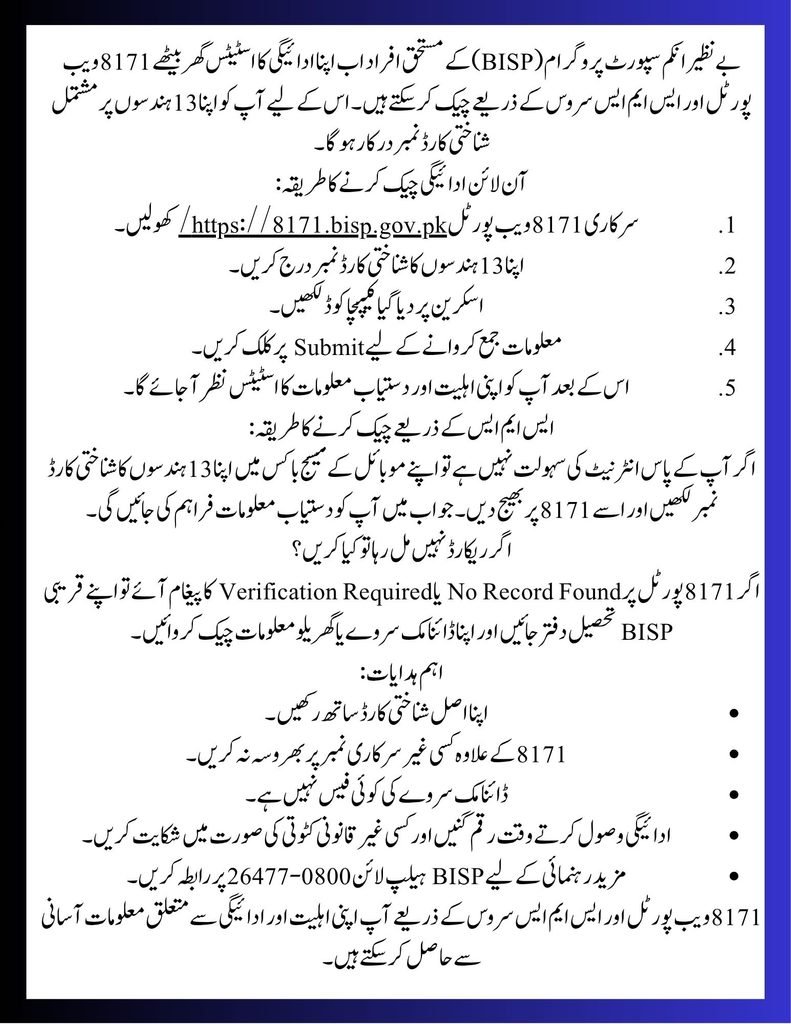
- Open the official 8171 BISP portal: https://8171.bisp.gov.pk/
- Find the CNIC number field on the website.
- Enter your 13-digit CNIC number without spaces or dashes.
- Enter the captcha code displayed in the verification image.
- Submit the information.
- Wait for the system to display your household’s available eligibility information.
Carefully check the result. If the portal shows that your information is unavailable, you may need to complete or update your household survey.
Check BISP Payment Status Through SMS
People without internet access can also use the SMS method.
Follow these instructions:
- Open the SMS application on your mobile phone.
- Type your 13-digit CNIC number.
- Send the message to 8171.
- Wait for an official response.
- Follow the instructions provided in the message.
Use a mobile SIM that you can access so you can receive any further communication.
BISP Eligibility Criteria
BISP assistance is intended for financially deserving households that meet the programme’s eligibility requirements.
Who Can Qualify?
- Low-income and financially deserving households.
- Families meeting the programme’s poverty assessment requirements.
- Eligible women with valid CNICs.
- Households that have completed the required NSER or dynamic survey.
Final eligibility depends on BISP’s household assessment and verification process.
Required Documents for BISP Verification
If you need to visit a registration office, keep these documents available:
- Original CNIC of the applicant.
- CNICs of available household members.
- Children’s B-Forms, if applicable.
- Registered mobile phone number.
- Relevant household information.
How to Resolve BISP Payment Problems
Sometimes applicants receive messages such as no record found, verification required, or payment pending.
If you face these issues, visit your nearest BISP Tehsil Office and ask the staff to check your household information. If your survey is incomplete, follow the instructions for completing it.
You can also contact the official BISP helpline at 0800-26477 for assistance.
BISP Payment Collection Method
Eligible beneficiaries should wait for an official payment notification before visiting a payment centre.
Take your original CNIC and complete the required biometric verification. Collect your payment through the designated BISP payment channel.
Always count your money before leaving and report any unauthorized deductions.
Frequently Asked Questions (FAQs)
1. How can I check my BISP payment online?
Visit the official 8171 portal, enter your CNIC number and captcha code, and submit the information to check your available status.
2. Can I check BISP status through SMS?
Yes. Send your 13-digit CNIC number to 8171 and wait for an official response.
3. What should I do if 8171 shows no record found?
Visit your nearest BISP Tehsil Office and ask about your household survey and registration information.
4. Is the BISP dynamic survey free?
Yes. BISP does not charge applicants for completing the dynamic survey.
5. Which number sends official BISP payment messages?
8171 is the official SMS number used for BISP beneficiary notifications.
Conclusion
Checking your BISP information regularly can help you stay updated about your household eligibility and payment notifications. The official 8171 portal and SMS service make verification easier for applicants across Pakistan. Follow the correct procedure, enter your CNIC carefully, and visit a BISP Tehsil Office if your information needs updating. Always wait for an official payment confirmation before visiting a collection centre. By following this guide on how to check 8171 BISP payment status by CNIC, you can avoid unnecessary visits and stay informed about your available assistance.